Just the recipe.
Readable Recipes is a browser extension that turns cluttered recipe pages into one clean, readable card. Ingredients, steps, times. No life stories, no popups.


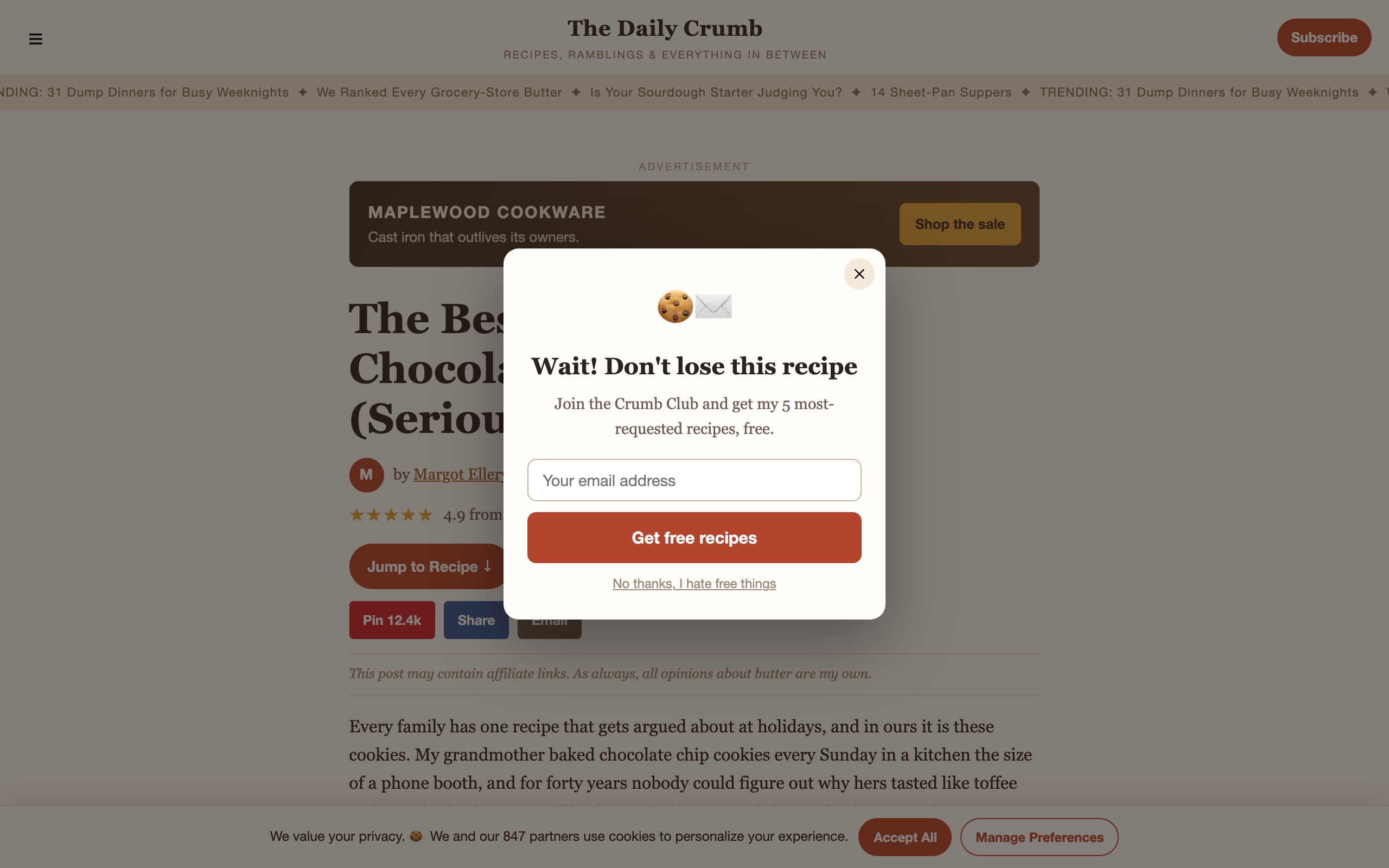
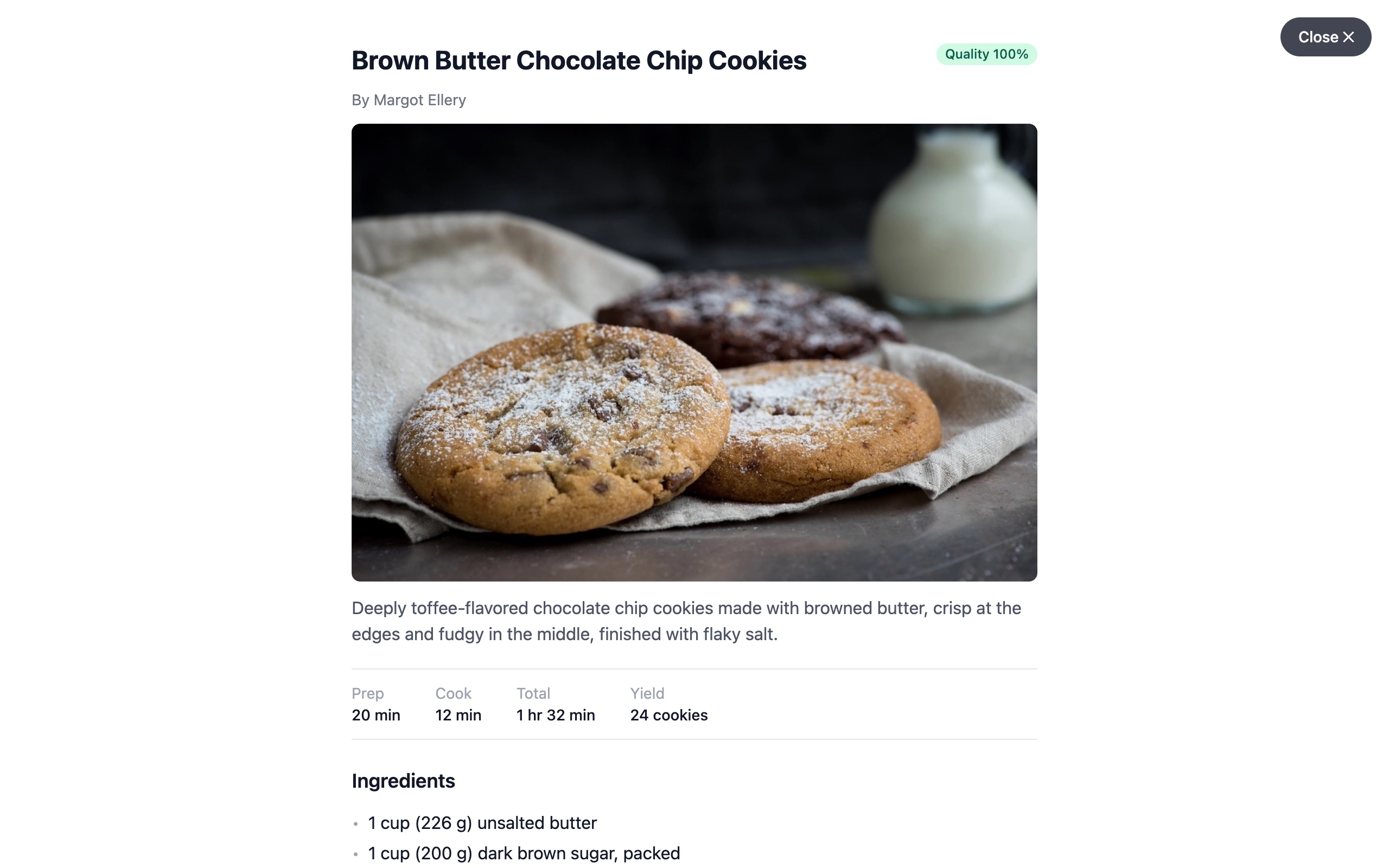
Drag the handle, or do it the real way: tap the whisk.
How it works
Install it
Free on Chrome, Firefox, and soon Safari on iPhone. No account, no sign-up.
Open any recipe
Browse like you always do. When a page has a recipe, a small whisk button appears.
Tap the whisk
The clutter disappears. One clean card: ingredients, steps, and times. Tap again to leave.
One clean card, every screen
On the desktop
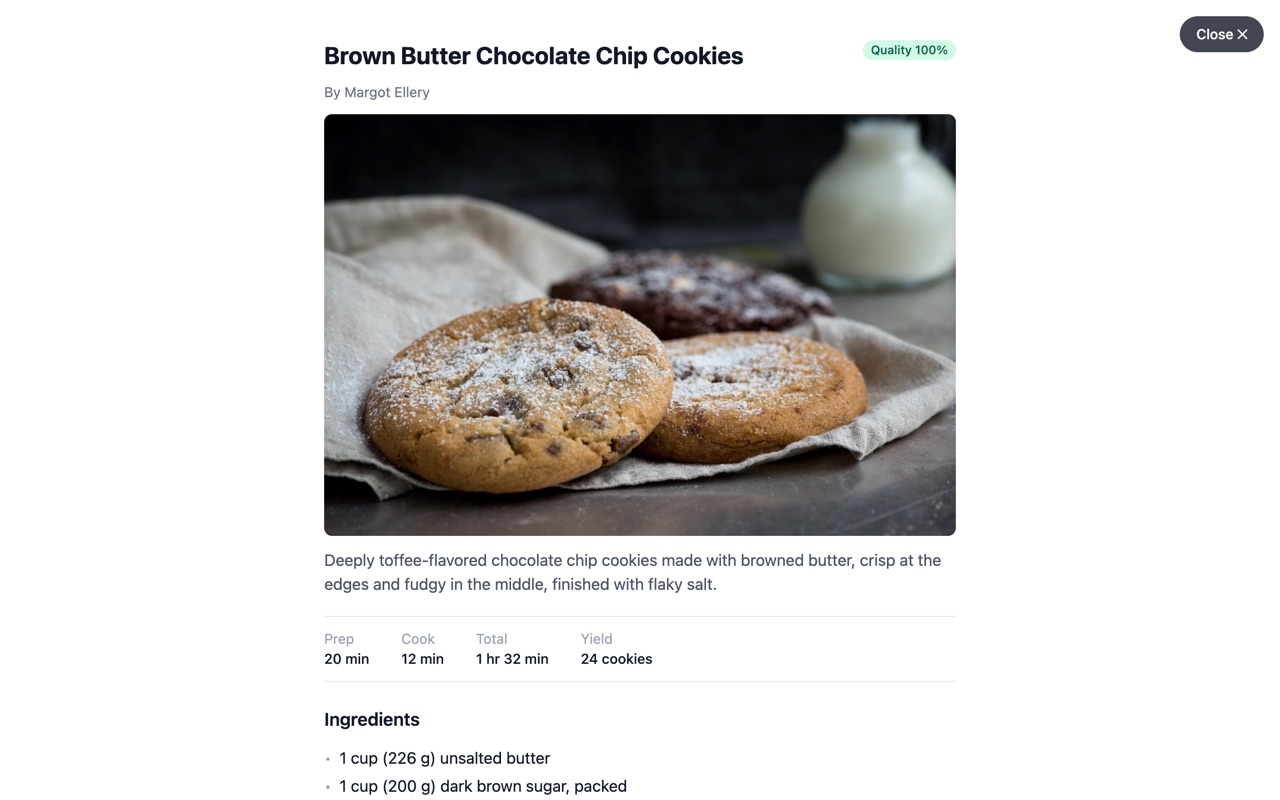
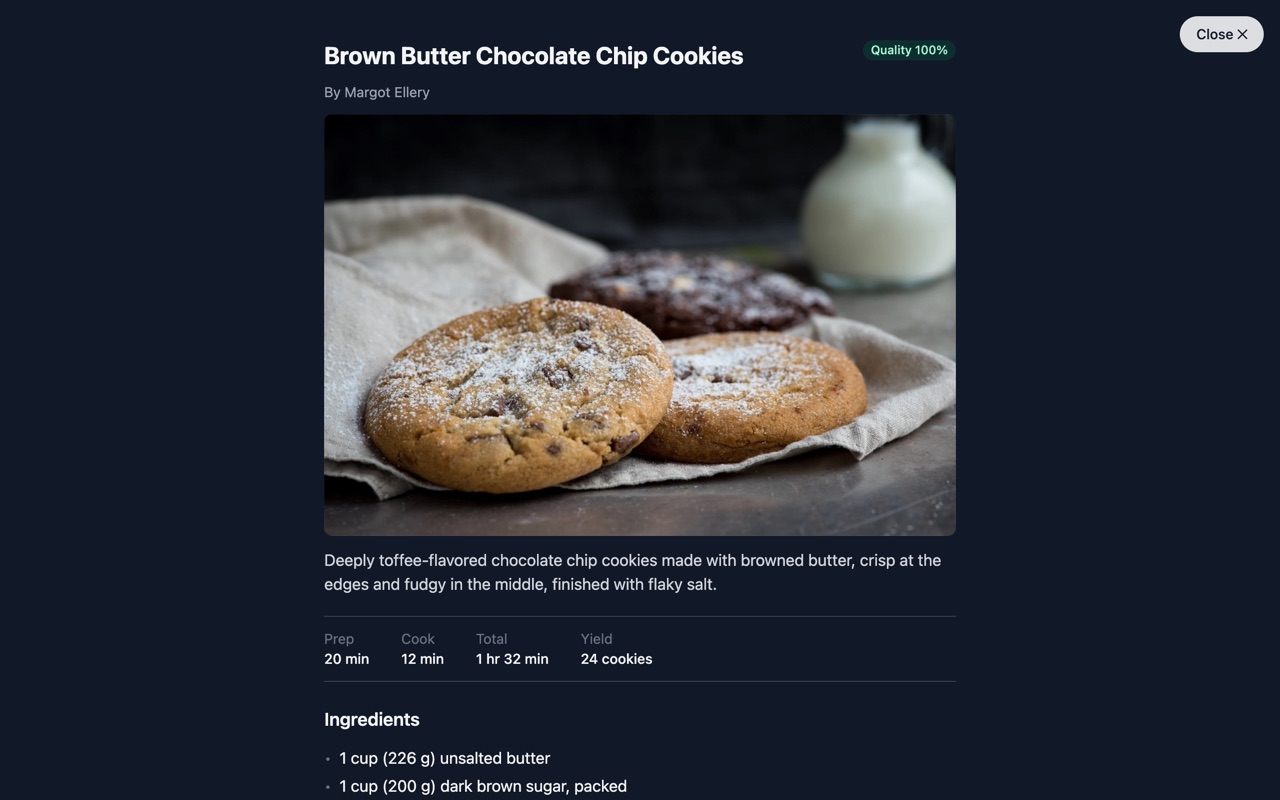
On iPhone
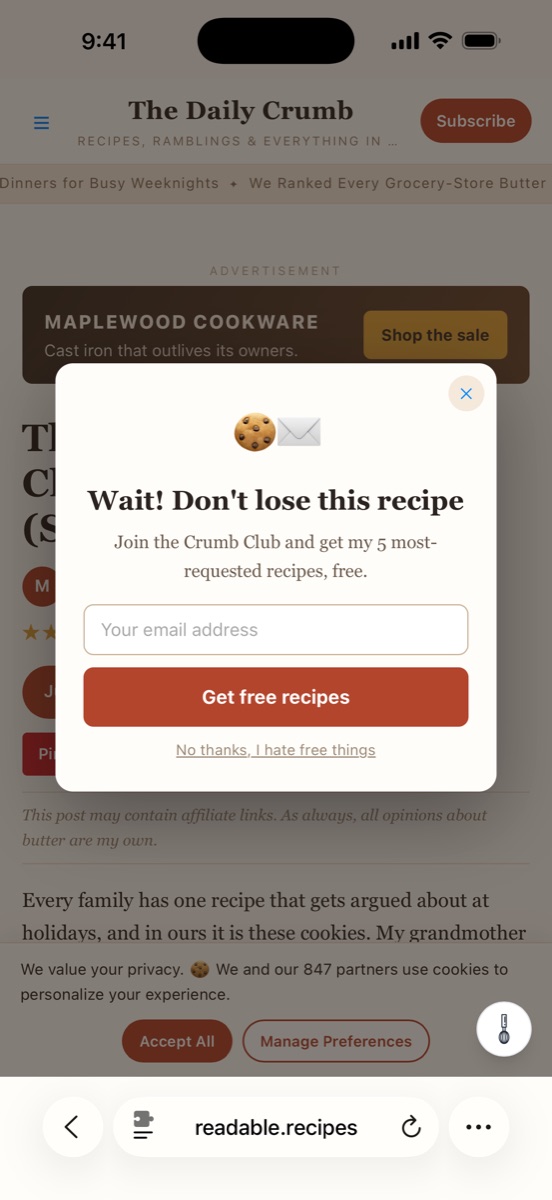
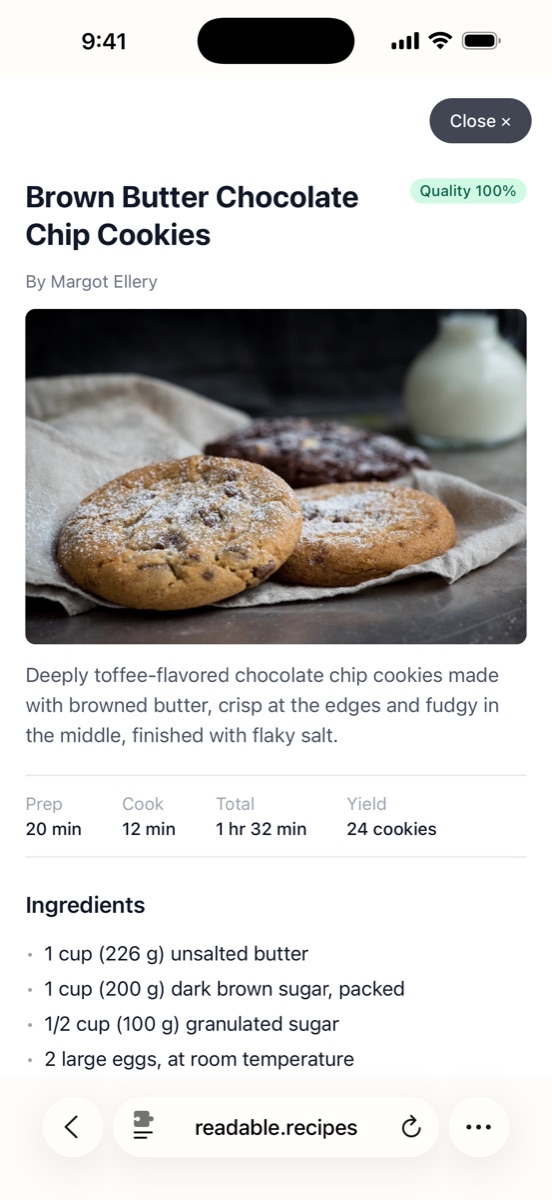
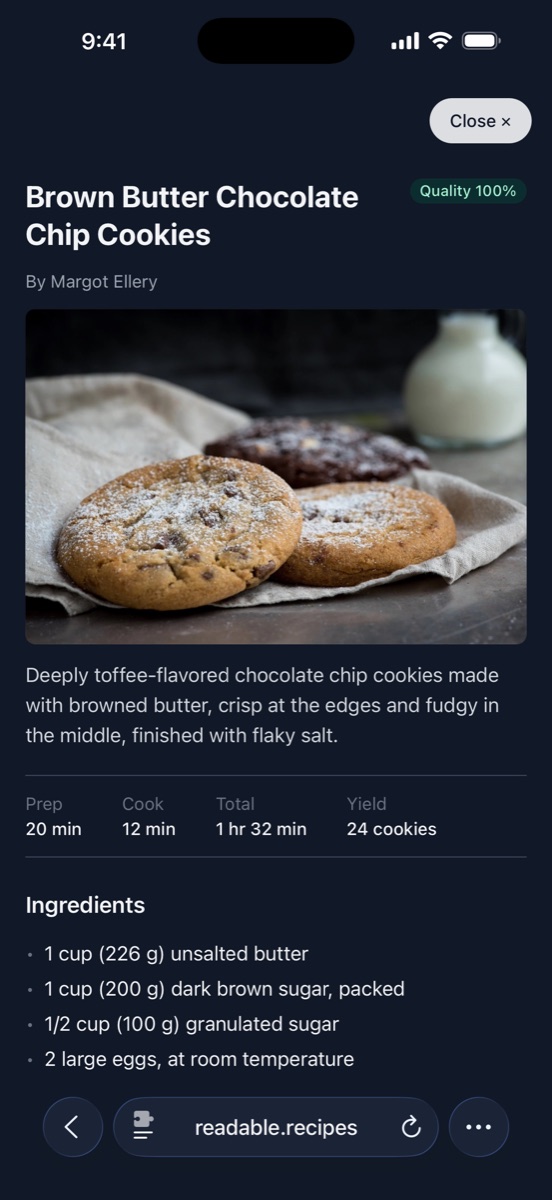
iPhone version pictured: Safari support is in App Store review now.
Made for actually cooking
Readable by design
Big type, clear numbered steps, and the times up front. Easy to follow with flour on your hands.
Light and dark
Follows your device, or set it yourself. Auto-open is there for zero-tap kitchens.
Works everywhere
Any site that publishes standard recipe data, which is most of them. If one slips through, report it in two taps.
Free. Actually free.
No account. No subscription. No premium tier hiding the good parts. Install it, open a recipe, cook.
Nothing to hide
- ✓No accounts, no ads, no tracking, no identifiers.
- ✓This site sets zero cookies. That's why there's no banner.
Questions, answered
Which sites does it work on?
Any site that publishes standard recipe data, which is most food blogs and all the big recipe sites. When a page has a recipe, the whisk button appears.
Is it really free?
Yes. No account, no trial, no paid tier. Install it and it works.
Does it work on iPhone?
Chrome and Firefox today. The Safari version for iPhone is finished and in App Store review right now.
Does it change the website?
No. The reader is a view just for you, on top of the page. Tap the whisk again and the site is exactly as it was.
What if a recipe doesn't load?
Report the page from the extension in two taps. Reports are how broken sites get fixed.
Dinner's waiting.
Install it free, open a recipe, tap the whisk.